
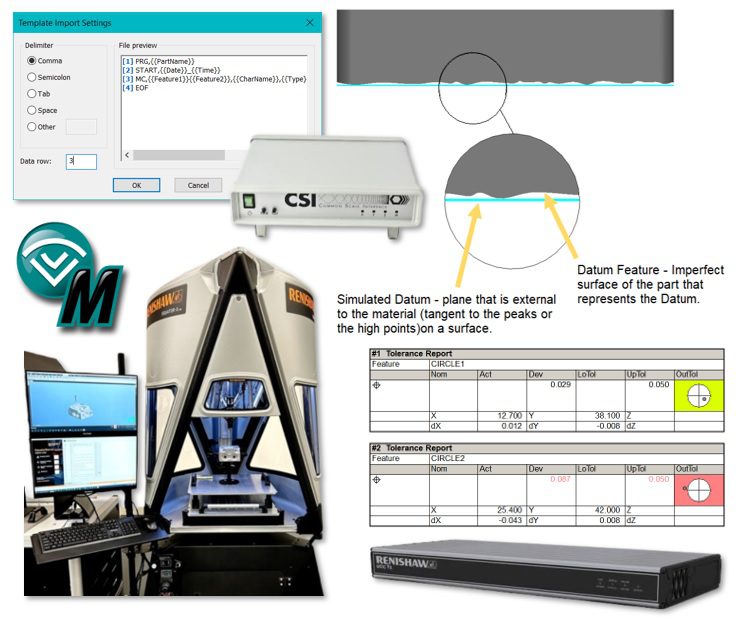
QxSoft, LLC has released CMM-Manager software version 2026. This latest release includes many customer specific enhancements, added support for Renishaw Equator-X Gauging System, support for Hexagon CSI (Common Scale Interface), Deva USB standalone lighting devices, new automation software, new visual graphic to show the position deviation in standard text reports, template driven flexible text reporting tools, ASME Y14.5.1-2019 – plane fitting, and more.
Notable Enhancements:
- Position Report Graphical Charting
- Add a new visual graphic to better show the position deviation for circular features.
- User Customizable CSV Report Format
- Template driven flexible text reporting tool allows user to create their own custom report formats.
- Simulated Mating Surface Plane Fitting Algorithm
- ASME Y14.5.1-2019 – Plane Fitting
- Added new constrained plane fitting algorithms: Constrained L1, Constrained L2, Constrained Min/Max
- Renishaw UCC Direct Driver (3.0)
- 20-40% increased throughput 🎥 see video
- Block execution and Fly Radius modes
- Increased communication efficiency
Newly Supported Devices and Hardware
- Renishaw Equator-X
- Renishaw UCC Direct Driver 3.0
- Renishaw Equator Auto Transfer System
- Hexagon CSI (Common Scale Interface)
- Pomeas Precision Instrument – motorized zoom lens
- Deva USB standalone lighting devices
- Added par-centricity calibration for 3rd-party vision systems
Native CAD Support:
Spatial Interop 2026 1.0 – The following formats and their versions are supported:
- ACIS R1 – 2026 1.0
- CATIA V4 4.1.9 – 4.2.4
- CATIA V5/V6 V5 R8 – V5-6 R2026
- DWG 2.5 – 2026
- Inventor V6 – 2026
- JT JT 8.x – 10.3, 10.5 – 10.10
- NX NX 1 – NX 2506
- Parasolid 9.0.x – 38.0.x
- Pro/E 16 – Creo 12.0
- Solid Edge V18 – SE 2025
- SolidWorks 2003 – 2026
- STEP AP203, AP214, AP242
- VDA-FS 1.0 – 2.0
These updates are designed to streamline inspection workflows and support advanced measurement tasks. For a comprehensive overview of all new features and enhancements, you can refer to the official release notes:
Can I use version 2026?
If your current Warranty End Date is on or after January 1, 2026, then you may download and install this latest version of CMM-Manager.
For more information – https://qxcmm.com/release-notes/